We’ve updated the dashboard to make managing Digital ID (eID) verification easier. Now, Digital IDs are treated as a standalone product, giving you more control and a cleaner setup process.
What’s New?
Digital IDs are no longer hidden inside general document settings. We’ve given them their own space, making them easier to find, configure, and manage.
Key Improvements:
-
Dedicated Settings Panel: Manage all eID methods in one place, separate from physical documents. You can now quickly search for specific methods by name or country and enable them with a single click.

Automate your identity verification
See how iDenfy helps 1,000+ companies verify customers in seconds with AI-powered KYC.
Explore iDenfy-
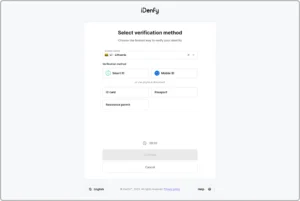
Cleaner User Interface: We’ve separated Digital IDs from physical documents in the verification flow. This makes the choice much clearer for your end-users, especially when skipping steps via IP-based detection.
Why This Matters
Previously, Digital ID settings were scattered, which could be confusing for both you and your customers. This update turns Digital IDs into a “first-class” feature – it’s now simpler to set up, easier for users to understand, and much faster to manage.



