Editor’s Note & Methodology Disclosure: To create this independent overview, ratings were carefully aggregated from verified review platforms including G2, Capterra, TrustRadius, and Gartner Peer Insights as of June 2026. We did not test each platform, our goal is to provide a clear, practical overview of the identity verification platforms available today, explain their key features in plain language, and help decision-makers better understand how these solutions compare. Because iDenfy is the publisher of this guide, we have presented this data transparently so you can evaluate each platform based on your unique compliance and integration needs.
Top 5 Identity Verification Software Providers
Knowing exactly who’s on the other side of the screen has stopped being a nice-to-have. Identity verification has become a day-to-day tool for most businesses that work online. In 2026, the identity verification market is essentially fighting on two fronts at once: outsmarting AI-powered identity fraud and staying on the right side of tightening regulatory rules – all while keeping the user journey frictionless enough that legitimate customers don’t drop off at sign-up.
So, to help you cut through a crowded ID verification market (there’s no shortage of providers promising the world), we’ve vetted the top identity verification software out there – the ones that actually manage to pair sturdy security with the smooth experience your customers expect. But here’s the catch: no single identity verification software fits every business. What works for a high-volume fintech can be overkill for a smaller marketplace, and a tool built for crypto’s risk profile won’t necessarily map onto e-commerce or iGaming. So, instead of asking which provider is best overall, the smarter question is which one fits your use case – and that boils down to your industry, your risk appetite, and the kind of users you’re onboarding.
In this article, we break down how the top providers compare, and how to work out which one’s right for you.
| Provider | G2 | Capterra | TrustRadius | Gartner | Average |
|---|---|---|---|---|---|
| iDenfy | 4.9 | 4.7 | 5.0 | 4.8 | 4.85 |
| SEON | 4.6 | 4.9 | 4.7 | 5.0 | 4.80 |
| Onfido (Entrust) | 4.4 | 5.0 | 4.7 | 4.3 | 4.60 |
| Veriff | 4.5 | 4.7 | 4.0 | 4.7 | 4.48 |
| ID.me | 4.7 | 4.2 | 4.9 | 4.0 | 4.45 |
Last updated: June 2026
Top Identity Verification Software Comparison (2026)
Here are the best identity verification software companies ranked by key features. The evaluation covers what shows up in real procurement decisions: document coverage, liveness detection, fraud prevention, AML and KYB add-ons, pricing structure, and how each platform handles integration.
Notable Mentions
| # | Provider | What They’re Known For |
|---|---|---|
| # | Jumio | AI-powered identity verification with continuous monitoring and a strong enterprise footprint. Trusted by major financial institutions and airlines for high-volume, high-stakes onboarding. |
| # | Sumsub | Full-cycle KYC, KYB, and AML platform with highly configurable workflows. Handles 50,000+ verifications daily across 220+ countries. Strong fit for businesses needing multi-level compliance in one platform. |
| # | Trulioo | Database-first identity verification covering 5B+ people across 195 countries. Strong in data-matching and electronic ID checks – useful where document uploads aren’t practical or required. |
| # | Persona | Developer-friendly, highly configurable identity verification platform. Known for modular orchestration workflows and a low-code integration approach. Primarily serves US fintechs, marketplaces, and gig economy platforms. |
| # | Socure | AI-powered identity verification built for enterprise financial services. Known for low false positive rates, real-time fraud decisioning, and integration with US financial institution data. Strong fit for banks, credit unions, and fintech lenders. |
The Main Features to Evaluate in Identity Verification Software
Almost every regulated business is better off integrating an established identity verification solution than building equivalent infrastructure in-house. The engineering cost, ongoing maintenance, and liability exposure of a self-built KYC stack rarely make sense. Here are the most essential features and considerations we evaluate across ID verification providers:
Supported Countries
Global document coverage determines which users you can onboard at all. Most enterprise-grade ID verification vendors cover 195–220 countries, but coverage figures in marketing materials don’t tell you how well a platform performs on documents from less-common regions – or whether its verification method meets local regulatory requirements.
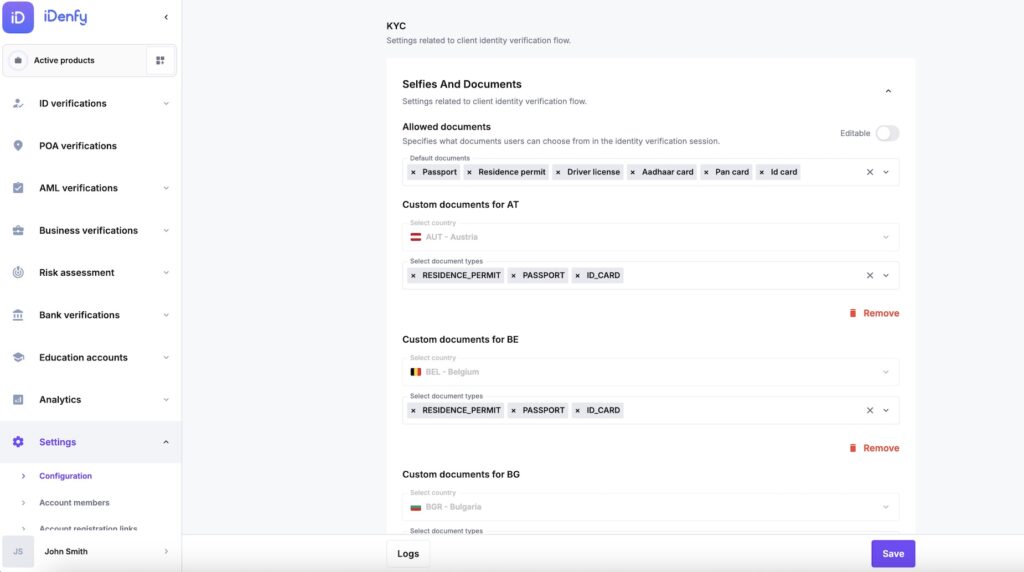
- Recommendation: If you’re only verifying customers in a handful of countries, there’s no need to pay for a global platform. Regional ID verification providers with narrower coverage are often significantly cheaper and perform better on the specific document types in their focus markets.
- Regulated Business: Check whether any of your operating countries are classified as high-risk by financial regulators – those markets usually require enhanced due diligence and custom verification flows. Confirm the vendor supports configurable flows by country before signing. More details on which businesses must comply: KYC and AML compliance requirements.
- High-Risk Business: If fraud from specific geographies is a pattern in your incident data, ask the vendor whether they offer Country Block List functionality – the ability to hard-block verifications from certain countries or regions – and whether it’s configurable without engineering involvement.
Document Types
Accepting a wider range of document types directly increases the share of users you can onboard. Passports are common in some markets, but elsewhere most people carry a national ID card, residence permit, or driver’s license – and if the platform can’t read it, you lose that user.
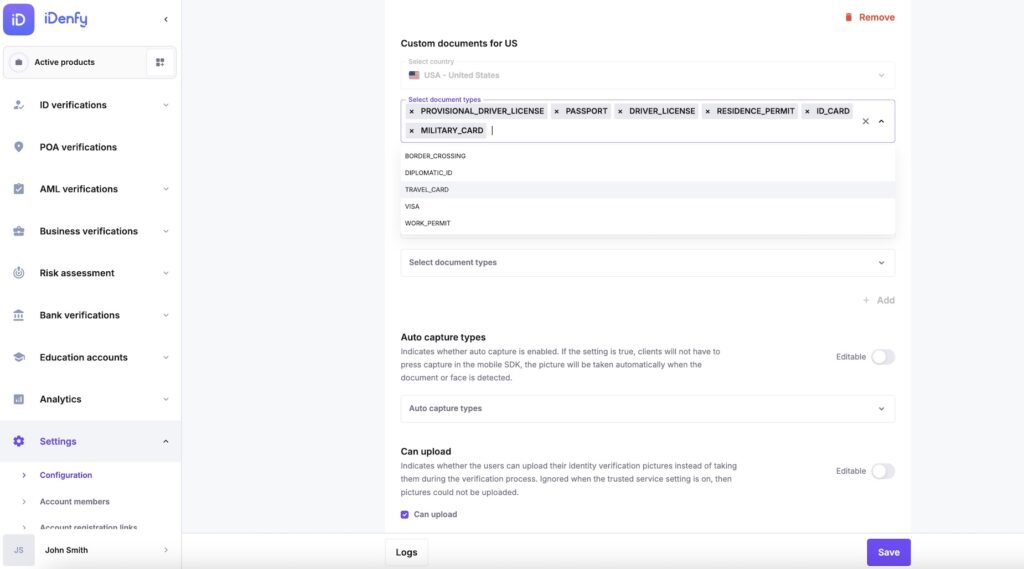
- Recommendation: Allow as many document types as your compliance framework permits. Passports, national IDs, driving licenses, residence permits, and visas together cover the overwhelming majority of the global user base. Every additional document type reduces drop-off at the door.
- Regulated Business: Some regulators restrict which document types are accepted for identity verification, particularly to documents that include a Machine Readable Zone (MRZ), such as passports and national ID cards. Confirm the allowed types in your operating jurisdiction before configuring your verification flow. See also: what is a Machine Readable Zone.
- High-Risk Business: Driver’s licenses have fewer security features than passports and national ID cards, making them easier to forge. If fraud is a concern, consider restricting accepted document types to those with MRZ or NFC chips – and confirm the vendor supports that configuration. How to spot a fake ID.
Liveness Detection
Liveness detection prevents spoofing attacks – someone presenting a photo, video, or 3D mask instead of their face. It’s one of the most important security features in any ID verification system, but stronger liveness checks also create more friction and result in more abandoned verifications.
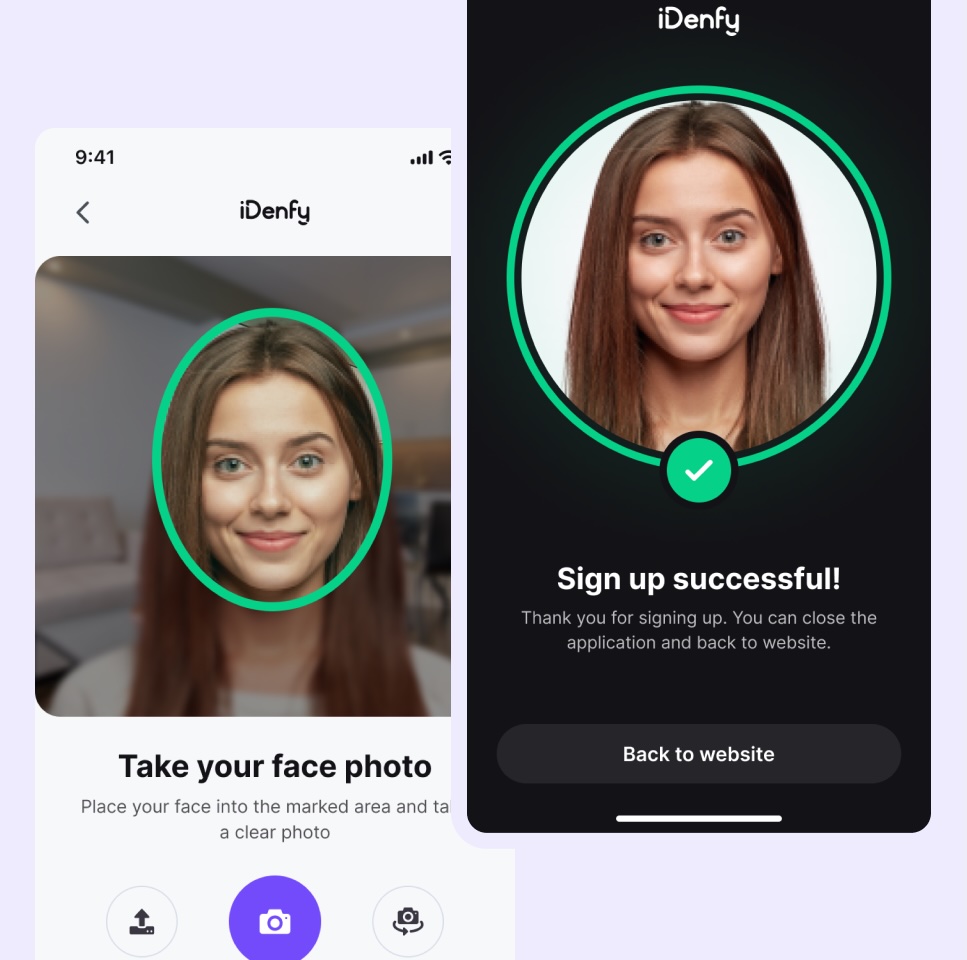
- Recommendation: If fraud risk is low for your use case, you can often negotiate to remove liveness detection from your package – or downgrade to passive liveness, and reduce per-verification cost. Not every platform makes this configurable, so ask explicitly.
- Regulated Business: Some regulators require liveness detection as a condition of compliance. Check your specific jurisdiction before making any assumptions about what’s optional. If liveness is mandatory, verify the vendor’s method meets the regulatory standard – some jurisdictions specify passive vs. active requirements.
- High-Risk Business: For platforms with elevated fraud exposure, use both methods where possible. 3D Active Liveness is more secure but adds friction. Passive Liveness is lighter on users but catches fewer sophisticated attacks. Vendors that support both give you the option to tune that tradeoff per risk tier – worth testing before committing to one approach.
Automated vs. Human-Supervised Verification
Fully automated systems are faster and cheaper. The tradeoff: they struggle on edge cases – unusual formats, low-quality images, regional documents that don’t appear often in training data. Adding a human review layer catches what automation misses, but it affects turnaround time and unit cost.
- Recommendation: If verification speed and cost efficiency are your top priorities, go automated. If onboarding conversion and fraud accuracy matter more, go hybrid. If you’re not sure, look for a vendor that offers both and run an A/B test – the data from your actual user base is more useful than any benchmark. The identity verification companies, that support that win.
- Regulated Business: Some compliance frameworks require a human operator to be involved in the verification decision. Confirm what your specific regulator requires before defaulting to automated-only. In higher-risk industry categories, automated-only may not satisfy audit requirements.
- High-Risk Business: 24/7 human review is the most effective backstop against sophisticated fraud that automated systems pass. It’s also the most expensive. For platforms where the cost of a fraudulent account significantly exceeds the cost of a verification check, the economics favor hybrid.
Pricing Models
ID verification pricing comes in three main structures, and the difference matters significantly once you model it against your actual verification volume and failure rate.
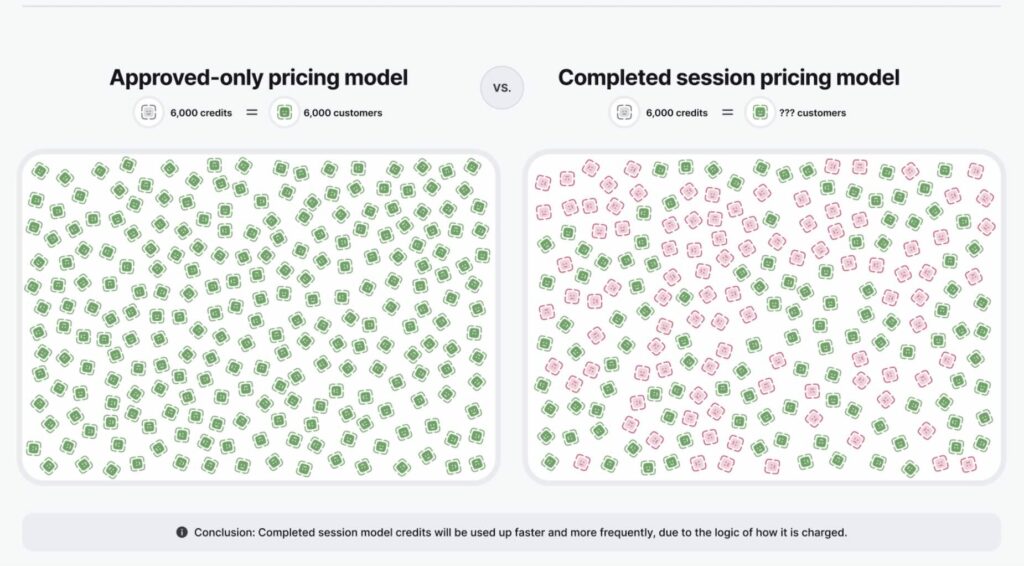
- Pay per each ID verification attempt – Charged for every session regardless of outcome: approved, denied, canceled, or abandoned. The most expensive model at scale if your drop-off rate is meaningful.
- Pay per completed ID verification – Charged when the user finishes the process, whether the result is approved or denied. An improvement over per-attempt, but fraud rejections still hit the bill.
- Pay per approved ID verification – Charged only when verification finishes and is approved. Failed attempts, abandoned sessions, and denied verifications are not charged. The most buyer-friendly model in the market.
Recommendation: Because users frequently fail on the first attempt, bad lighting, expired document, camera issue – a pay-per-approved model can end up substantially cheaper than per-attempt alternatives, even when the nominal per-unit rate looks similar. Ask any vendor you’re evaluating to run a cost simulation based on your expected monthly volume and a realistic failure rate. The delta is often larger than it appears.
iDenfy
4.85 Average Score · (4.7 Capterra | 4.9 G2 | 5.0 TrustRadius | 4.8 Gartner)
iDenfy website: iDenfy
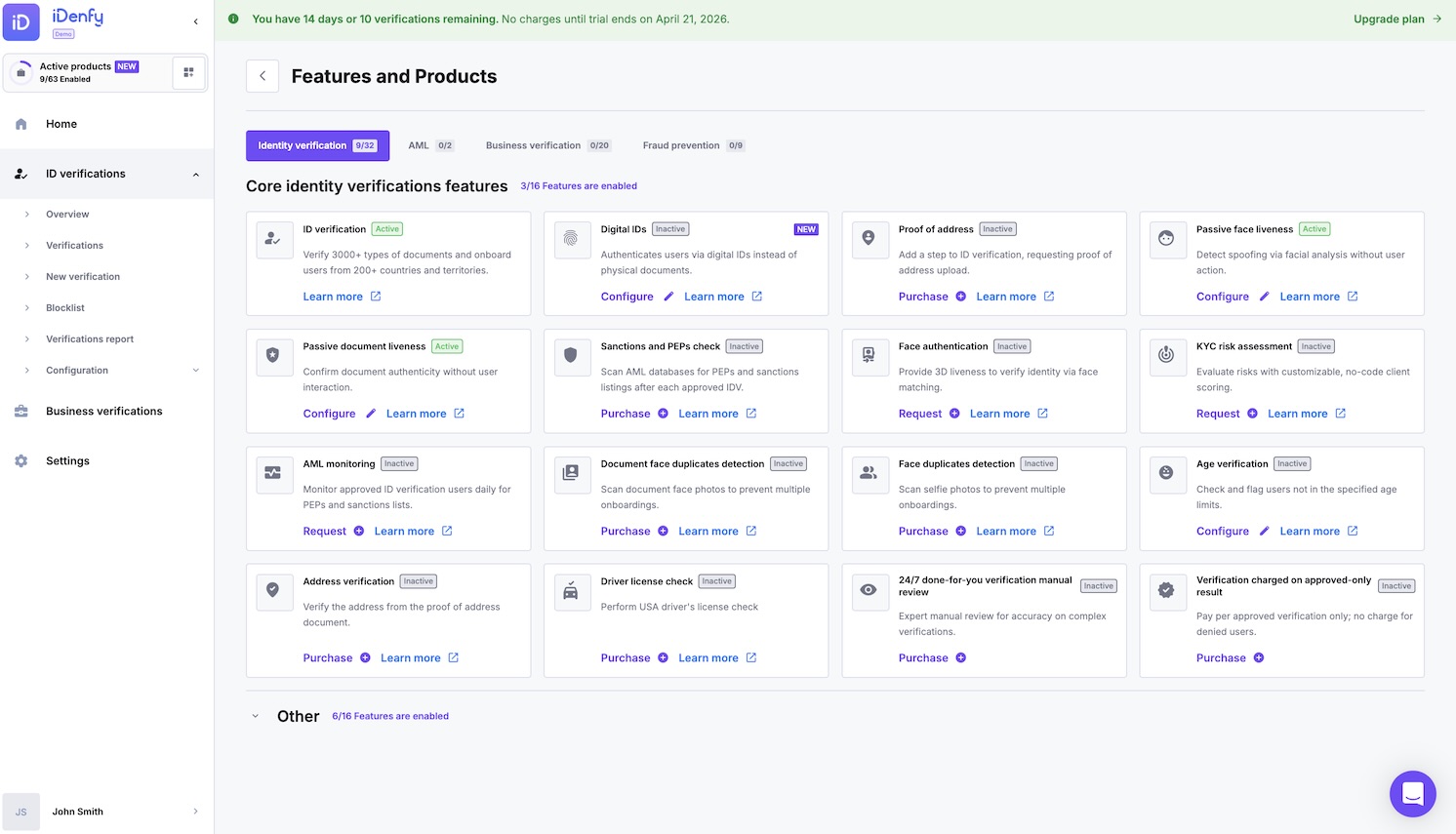
iDenfy tops the list. Identity verification, KYB, and AML screening ship under one contract – no separate vendor for each compliance requirement. What separates it from the other platforms on this list is the hybrid model: AI handles the initial document analysis, and a 24/7 human review team gets every session the system flags. That second layer is what keeps accuracy high on the edge cases – unusual document formats, regional IDs, poor image conditions – where fully automated platforms take a hit.
The product range is broad – NFC verification, Proof of Address checks, bank account verification, SMS OTP, Digital ID support, and government database cross-matching are all available as configurable add-ons. Pricing is pay-per-approved: businesses are charged only for completed, approved verifications – not for failed attempts, poor image quality rejections, or user drop-offs. Deployment options range from the Magic Link no-code builder (zero engineering needed) through full API, SDK for iOS and Android, and iFrame integration.
✅ Pros:
- A pricing model that’s genuinely unusual in this space: you pay for approved verifications, not the fraudulent or failed attempts you reject – which keeps costs predictable as you scale.
- No “enterprise-only” gatekeeping: even small companies on a pay-as-you-go plan get the full toolkit — white-labelling, the complete suite of verification and anti-fraud tools, and functionality that other providers reserve for their big enterprise contracts. You don’t have to hit a volume threshold (or sign a hefty annual deal) to unlock the features you actually need. And on the other end, larger companies running high volumes of verifications get discounted pricing.
- Hybrid AI + in-house human review: automation handles the bulk at speed, while a trained verification team checks the edge cases which keeps rejection rates low and adds a second layer of security. A human eye catches the subtle fraud signals that AI alone can miss, so legitimate users don’t get wrongly turned away, and bad actors don’t slip through.
- A full fraud prevention suite in one place – identity verification, business verification (KYB), risk scoring, phone verification, AML screening, IP verification, and more – so you’re not paying for and integrating a separate vendor for every check.
- A wide range of integration options to fit how you actually build: no-code setup, a developer-friendly API, and a Mobile SDK, plus ready-made plugins for platforms like Shopify, WooCommerce, and WordPress. There’s also Zapier support for connecting your existing tools, and AI/MCP integrations (Claude, ChatGPT, Cursor, and more) – so whether you’re a lean team or a full engineering org, there’s a path that fits.
❌ Cons:
- Smaller brand footprint than the household names on this list, so enterprise procurement teams chasing a “big logo” may need convincing (the product holds up – the recognition is still catching up).
- No Pay-Per-Use option, only Pay-As-You-Go or annual subscription.
- “Use it or lose it” credits: unused prepaid verification credits don’t carry over to the next year unless you purchase a new package or deposit – so overestimate your volume and you’ve effectively paid for nothing.
- No face-only age estimation: there’s no option to estimate age from a selfie alone — a government-issued ID is always required, which adds a step for businesses wanting a lighter-touch age check.
- No non-US background checks: criminal background checks and some database validations (SSN, DMV) are limited to the US market only, with no equivalent for other regions.
- Strict limits on “pay-as-you-go”: no dedicated account manager or technical support, no ongoing AML monitoring, and only six months of data retention.
Supported Countries
- 200+ countries and territories;
- Country Block List functionality – configurable by country or region;
- Custom Flows – different verification settings per country or risk tier;
Document Types
- 7 document types: passport, passport card, national identity card, driving license, residence permit, visa, military card;
- Document type allowance is configurable per verification flow;
Liveness Detection
- 3D Active Liveness Detection;
- Passive Liveness Detection;
- Deepfake and Spoofing Attack Detection;
Automated vs. Human-Supervised Verification
- Automated AI-powered ID verification;
- Hybrid model – 24/7 human review team as a second layer on flagged sessions;
Pricing Model
- Pay per approved ID verification (primary model – not charged for denials or drop-offs);
- Pay per completed ID verification also available;
Security and Compliance
- ISO 27001 certified (certificate no. TIC 1512120135);
- SOC 2 certified;
- ETSI 119 461-1 certified for remote identity proofing;
- GDPR compliant;
- Cyber insurance and Technology Errors & Omissions (E&O) coverage by Lloyd’s of London Coverholder;
Customers Say
A 4.9 on G2 is unusual for compliance tooling – the buyers in this category have typically been burned before and rate accordingly. What comes up across multiple platforms: setup takes less time than expected, support actually resolves issues rather than routing them, and the pay-per-approved model delivers cost savings that reviewers specifically contrast with their prior per-attempt vendors.
Reviewers describe the documentation as accessible enough that teams without a dedicated compliance engineer get through the integration without extended back-and-forth. Support comes up more than any other feature – not just as a rating, but with specific callouts: fast to respond, actually solves the problem, noticeably better than previous vendors. Developers on different backend stacks call the API clean and well-documented. Mobile SDK customization gets mentioned by teams that needed the verification flow to fit inside an existing app without rebuilding around it. Fintech and iGaming operators point to the bundled AML and KYB as the factor that closed the decision – one platform, one procurement conversation, one audit trail.
The one consistent negative: getting the verification UI to exactly match brand guidelines takes a few rounds of back-and-forth. Nobody describes it as a dealbreaker.
SEON
4.80 Average Score · (4.9 Capterra | 4.6 G2 | 4.7 TrustRadius | 5.0 Gartner)
SEON website: www.seon.io
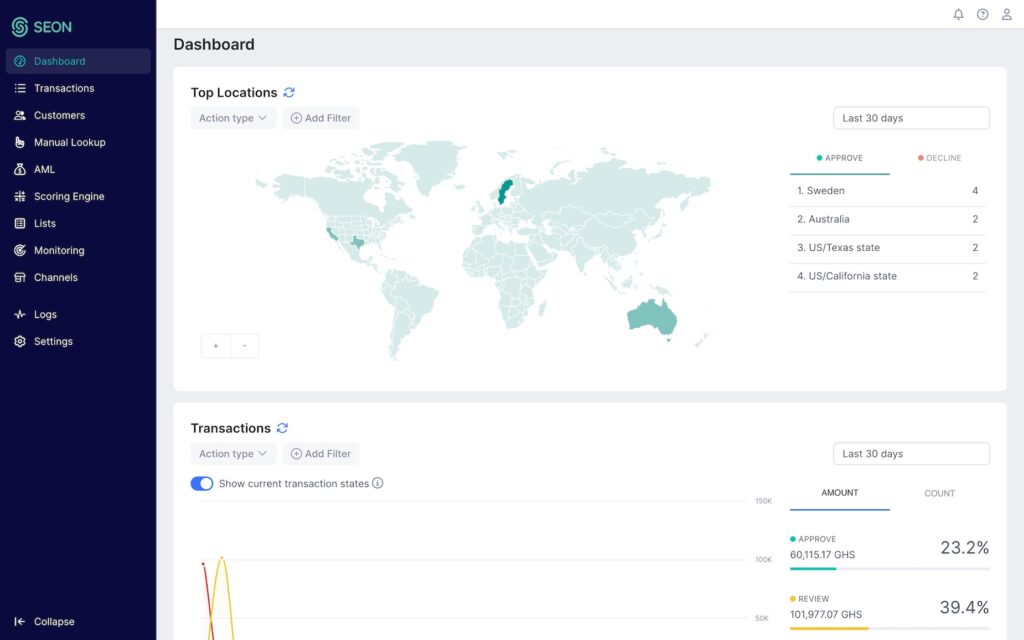
SEON takes a different approach to identity risk than the other platforms on this list, and understanding that distinction matters before evaluating it as a pure IDV solution. Rather than verifying identity through government-issued document scanning and biometric matching, SEON analyzes digital signals – email history, phone number reputation, IP address data, device fingerprinting, and social media presence – to assess fraud risk before or alongside a formal KYC check. This makes it an effective second fraud prevention layer rather than a standalone identity verification platform.
Teams in fintech, iGaming, and e-commerce who are primarily focused on stopping fake account creation and fraud signups will find SEON highly effective in that role. In 2026, SEON expanded its offering to include government-issued ID verification, AML screening, and Proof of Address verification – which moves it closer to a full IDV platform, though its roots and primary strength remain in digital signal intelligence.
✅ Pros:
- Excellent at fraud signals and risk scoring, especially the data-enrichment side (what a person’s email or phone number reveals about them), which is great for catching bad actors early.
- API-first, fast, and flexible, with transparent pricing and a free tier – easy for fraud teams to test before committing.
- Strong fit for businesses whose main pain is fraud and account abuse rather than formal identity proofing.
❌ Cons:
- Not a full document/biometric identity verification provider at its core, so for regulated KYC (where you need verified ID documents and liveness), you’ll often have to pair it with another tool.
- AML screening and document workflows are lighter than purpose-built compliance suites – fine for fraud, thinner for audit-ready KYC/AML.
Supported Countries
- 200+ countries and territories;
- Country Block List functionality;
- Custom rules and flows configurable by geography;
Document Types
- Passport, national identity card, driving license, residence permit (added in 2026);
Liveness Detection
- 3D Active Liveness Detection (added in 2026);
- Passive Liveness Detection (added in 2026);
Automated vs. Human-Supervised Verification
- Automated verification system (AI and rules-based);
- No publicly advertised 24/7 human review service;
Pricing Model
- Pay per completed verification;
Security and Compliance
- ISO 27001 certified;
- SOC 2 certified;
- GDPR compliant;
Customers Say
SEON averages 4.8 across the four review platforms, with its strongest marks on Gartner (5.0) and Capterra (4.9). The reviews are consistent about what it’s good at: the interface organizes fraud signal data clearly, real-time monitoring is fast, and the rules engine is flexible enough to adapt to different fraud patterns without requiring developer involvement for every change. The machine learning layer and custom scoring rules are frequently cited as competitive advantages, particularly for teams dealing with large-scale account creation fraud.
The more mixed feedback centers on two things: SEON’s depth as a traditional document verification platform is newer than its fraud intelligence capabilities – the 2026 additions are a meaningful expansion, but reviewers evaluating it as a primary KYC tool may find less maturity compared to platforms built specifically for document-based IDV. Some reviewers also mention the complexity of the reporting system and a learning curve for non-technical users setting up advanced rule configurations for the first time.
Onfido (Entrust)
4.60 Average Score · (5.0 Capterra | 4.4 G2 | 4.7 TrustRadius | 4.3 Gartner)
Onfido website: www.onfido.com
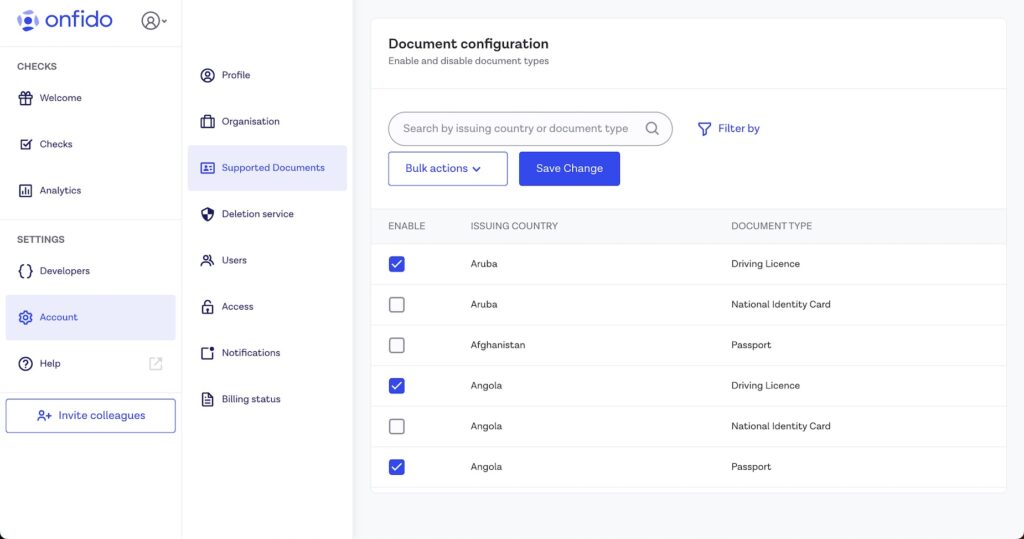
Onfido, now operating under the Entrust brand following its April 2024 acquisition, is one of the most established names in identity verification. It’s best known for Workflow Studio – a no-code interface for configuring verification flows that lets compliance and product teams adjust document types, liveness requirements, and risk thresholds without writing code. For regulated businesses that need to respond quickly to changing regulatory requirements across multiple markets, that flexibility is a genuine operational advantage.
The platform covers 195+ countries with a comprehensive document library, and supports both 3D Active and Passive liveness detection alongside advanced biometric verification. The pricing model – pay-per-attempt – means you’re charged for every session regardless of outcome, including user drop-offs and failed attempts. At meaningful verification volumes, that adds up. G2 reviewers highlight the SDK integration quality and verification speed; the recurring complaint is occasional false rejections on valid documents, which creates friction for real users and support overhead for compliance teams.
✅ Pros:
- Onfido is recognized as a well-established, large “corporate-style” enterprise provider. They are backed by massive investment, which gives them a significant footprint in the identity verification market.
- Mature, enterprise-grade document and biometric verification with solid global coverage and a well-known AI engine (Atlas).
- Backing of a larger identity company (Entrust) means a wider product ecosystem to grow into.
- A safe, recognizable choice for large organizations with established procurement processes.
❌ Cons:
- Some prospects evaluating the market noted that Onfido’s base pricing can be quite expensive, citing quotes of around $2.25 per verification.
- Charging for Denials: Onfido charges a fee for every completed verification attempt, regardless of the outcome. This means a business is billed even if the verification is denied due to a fake ID, expired document, or a fraudster failing multiple attempts. They do not offer a “pay-per-approved” option.
- Slower response times: clients report severe delays with customer service, noting that it can take up to a week just to get a response to a technical support ticket.
Supported Countries
- 195+ countries and territories;
- Country Block List functionality;
- Custom Flows via Workflow Studio (no-code configuration);
Document Types
- Passport, national identity card, driving license, residence permit;
- Document type configuration available;
Liveness Detection
- 3D Active Liveness Detection;
- Passive Liveness Detection;
- Deepfake and injection attack detection;
Automated vs. Human-Supervised Verification
- Hybrid model – AI-automated verification with human review available;
Pricing Model
- Pay per each verification attempt – charged regardless of outcome (approved, denied, canceled, or abandoned);
- Pricing is quote-based with no public tiers;
Security and Compliance
- ISO 27001 certified;
- SOC 2 certified;
- GDPR compliant;
Customers Say
Onfido averages 4.6 across review platforms, with a perfect 5.0 on Capterra. The consistent positives are a clean, well-designed interface, strong SDK integration quality, and fast verification processing. Compliance teams highlight the Workflow Studio as a practical tool for managing multi-market regulatory requirements without developer dependency – the ability to change verification parameters quickly is valued by teams that operate in heavily regulated industries where rules shift frequently.
The recurring criticisms are: false rejections on valid documents appear more often than users expect, which generates real user support tickets and erodes trust in the automated layer. Some reviewers also flag pricing complexity – quote-based, pay-per-attempt billing makes cost forecasting difficult, and actual costs at scale can diverge substantially from initial estimates. Support response times are generally rated positively by enterprise accounts; smaller customers report more variable experiences.
Veriff
4.48 Average Score · (4.7 Capterra | 4.5 G2 | 4.0 TrustRadius | 4.7 Gartner)
Veriff website: www.veriff.com
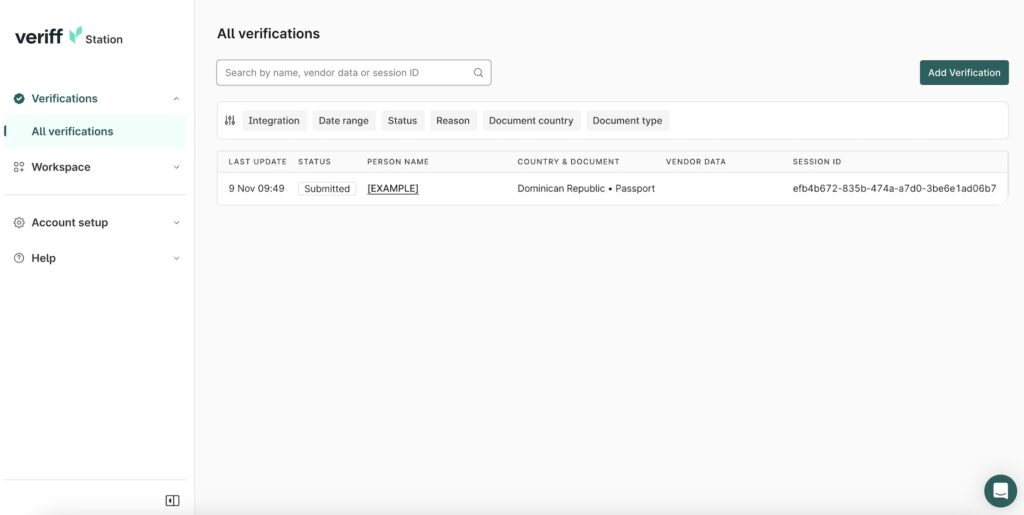
Veriff’s primary differentiator is document breadth: over 12,000 identity documents supported, with non-Latin script coverage for Arabic, Cyrillic, Chinese, Korean, and Japanese – making it one of the widest document libraries in the market for businesses onboarding users across genuinely diverse regions. The platform combines automated AI verification with a human expert layer, and its main focus is maximizing onboarding conversion rates through a smooth, fast user experience.
Pricing is Veriff’s most consistent criticism – it’s one of the more expensive options on a per-verification basis, especially compared to newer entrants that have come in with more competitive rates. On G2, integration ease and documentation quality are the main positives. The 4.0 on TrustRadius sits below its other scores; that gap traces to support responsiveness, with several reviewers noting it was hard to get answers outside enterprise tiers.
✅ Pros:
- Strong financial backing. Veriff is recognized by competitors as a heavily venture-capital-backed company with a massive marketing budget, giving them a strong, well-established presence and high visibility in the identity verification market.
- Flexible “Pay-As-You-Go” Model Veriff is highlighted as an attractive option for startups or businesses with unpredictable verification volumes because they offer a flexible pay-as-you-go model with a very low barrier to entry. Veriff requires a minimum commitment of only around $49 or $50 per month, which prevents companies from being locked into expensive bulk annual contracts if their sales fluctuate.
- Clear pricing models publicly available on their website. This straightforward approach to displaying costs allows businesses to evaluate the service before engaging with a sales team.
- Developer-friendly implementation: well-regarded web and mobile SDKs (iOS, Android, React Native, and more) plus clean documentation make integration quick for engineering teams.
- Good fit for regulated onboarding. The Plus and Premium plans are aimed at fraud prevention and regulated industries, with features like Risk Insights, FaceBlock, CrossLinks, video recording, and manual fallback.
❌ Cons:
- Short storage times: on their pay-as-you-go or cheaper plans, Veriff only stores a customer’s verification data for three to six months before deleting it.
- Customers complain that Veriff charges a fee for every completed or “successful” submission, regardless of the actual outcome. This means businesses are charged even if the verification is denied due to an expired document, blurry photo, or a fraudster failing multiple attempts.
- To extend data retention to two years (which is often necessary for regulatory compliance), Veriff charges an extra fee of $0.30 to $0.40 per verification.
- No human support on basic plans: their self-serve and pay-as-you-go plans offer no human tech support or dedicated account managers, leaving clients to rely on AI chatbots.
- Primarily an IDV/KYC tool – broader KYB and AML coverage may need additional pieces.
Supported Countries
- 200+ countries and territories;
- 12,000+ identity documents including non-Latin script support;
- Country Block List functionality;
Document Types
- Passport, national identity card, driving license, residence permit;
- Document type allowance configurable;
Liveness Detection
- Passive Liveness Detection;
- Deepfake and spoof detection;
Automated vs. Human-Supervised Verification
- Automated AI verification system;
- Hybrid model with human expert review available;
Pricing Model
- Pay per completed ID verification – charged for approved and denied sessions;
- Considered relatively expensive compared to newer market entrants;
Security and Compliance
- ISO 27001 certified;
- SOC 2 certified;
- GDPR compliant;
Customers Say
Veriff averages 4.48 across four platforms – solid but with a split between the higher Capterra and Gartner ratings (4.7 each) and a notably lower TrustRadius score (4.0). The consistent positives are document coverage breadth, international usability, ease of integration, and the quality of technical documentation. Product and engineering teams specifically mention that the API is well-structured and the integration process is straightforward. In financial services contexts, the KYC validation quality and reduction in manual review time are frequently cited as reasons for staying on the platform.
The consistent negatives are pricing (described as difficult to justify at scale compared to alternatives) and support accessibility outside enterprise tier, some users report difficulty getting timely responses from the support team. UI/UX improvements are a recurring ask, with some reviewers noting the interface could be more intuitive for non-technical compliance staff who need to work in the dashboard regularly.
ID.me
4.45 Average Score · (4.2 Capterra | 4.7 G2 | 4.9 TrustRadius | 4.0 Gartner)
ID.me website: www.id.me
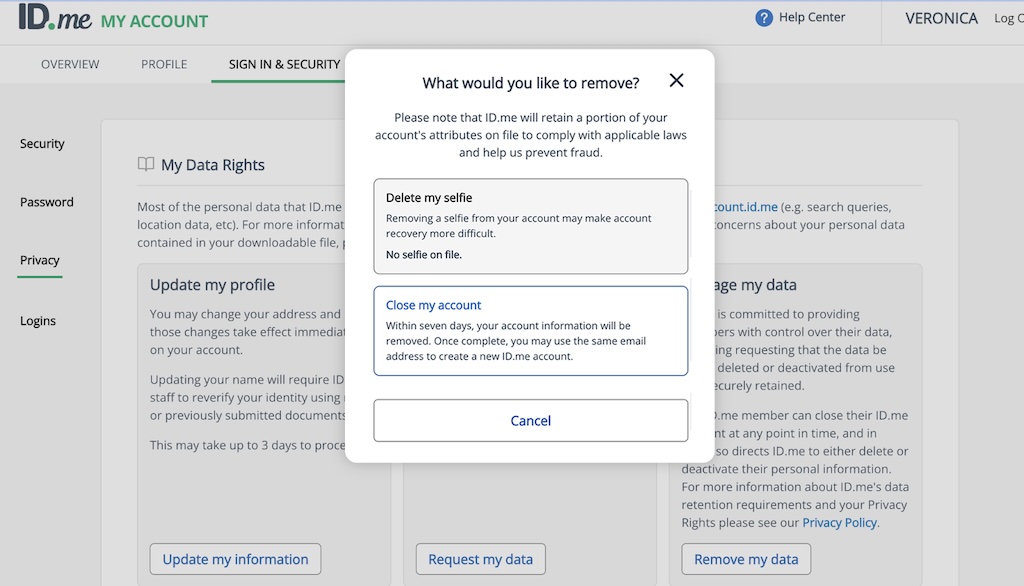
ID.me’s credibility is institutional – it runs identity verification for US federal and state agencies, including the IRS, the VA, and state employment portals, and its FedRAMP authorization reflects that history. The main product differentiator is a reusable wallet: once verified, users authenticate across any ID.me-connected service without resubmitting documents. For businesses with returning users who hit multiple verification touchpoints, that’s a real friction reduction – and it’s what makes ID.me a different category of product from the other platforms on this list.
The hard constraint is geographic: ID.me’s verification services are limited to users in the US and Canada. No amount of enterprise negotiation changes that. If any portion of your user base is outside those two markets, ID.me won’t work for them, making it unsuitable for businesses with international onboarding requirements. The analytics dashboard is another commonly flagged limitation, covering basic reporting but lacking the depth that teams tracking verification conversion and drop-off rates need for optimization.
✅ Pros:
- Established presence with government and enterprise: ID.me is highly recognized for its ability to service massive, high-level accounts. Its active use for official U.S. government services, such as the VA, confirms this high level of trust and capability.
- A reusable identity model means returning users can verify once and reuse it across participating services.
❌ Cons:
- Heavily US-oriented, with limited international coverage – not the natural choice if you’re onboarding globally.
- Geared toward government/enterprise rollouts rather than flexible, developer-led commercial onboarding.
- Expensive pricing can be highly inaccessible for startups and smaller businesses.
- Has faced public scrutiny over facial recognition and user wait times, so the end-user experience is worth evaluating for your audience.
Supported Countries
- US and Canada only – contact ID.me directly for the latest coverage details;
Document Types
- Passport, passport card, national identity card, driving license;
Liveness Detection
- 3D Active Liveness Detection;
Automated vs. Human-Supervised Verification
- Automated AI verification system;
- Hybrid model with human supervision available;
- Cross-match with US government databases;
Pricing Model
- Pay per completed verification – specific pricing not published. Contact ID.me directly;
Security and Compliance
- ISO 27001 certified;
- SOC 2 certified;
- FedRAMP authorized;
- GDPR compliant;
Customers Say
ID.me averages 4.45, with its highest ratings on TrustRadius (4.9) and G2 (4.7) – both platforms where enterprise and government users tend to concentrate. The reusable identity wallet is consistently cited as the standout feature, specifically in scenarios where users interact with multiple touchpoints: once verified, the reduction in re-verification friction is described as significant. Integration with Shopify for retail use cases frequently comes up among e-commerce teams managing government-verified discounts for specific groups such as military personnel, healthcare workers, and teachers.
The geographic limitation is the most common reason users disqualify ID.me early – it’s simply not an option for businesses with international users. Beyond that, the reporting dashboard is the primary operational complaint: teams that need granular verification funnel analytics describe it as too limited for optimization work. Some reviewers also wish for more dynamic options for integrating promotional and email marketing into the verification workflow.
DISCLAIMER
Data sourced from public information and vendor websites as of 2026. This is not a final verdict or endorsement – details can change. Reach out to vendors directly for current pricing and feature availability. To flag anything missing or incorrect, contact the website owner.

 Download PDF