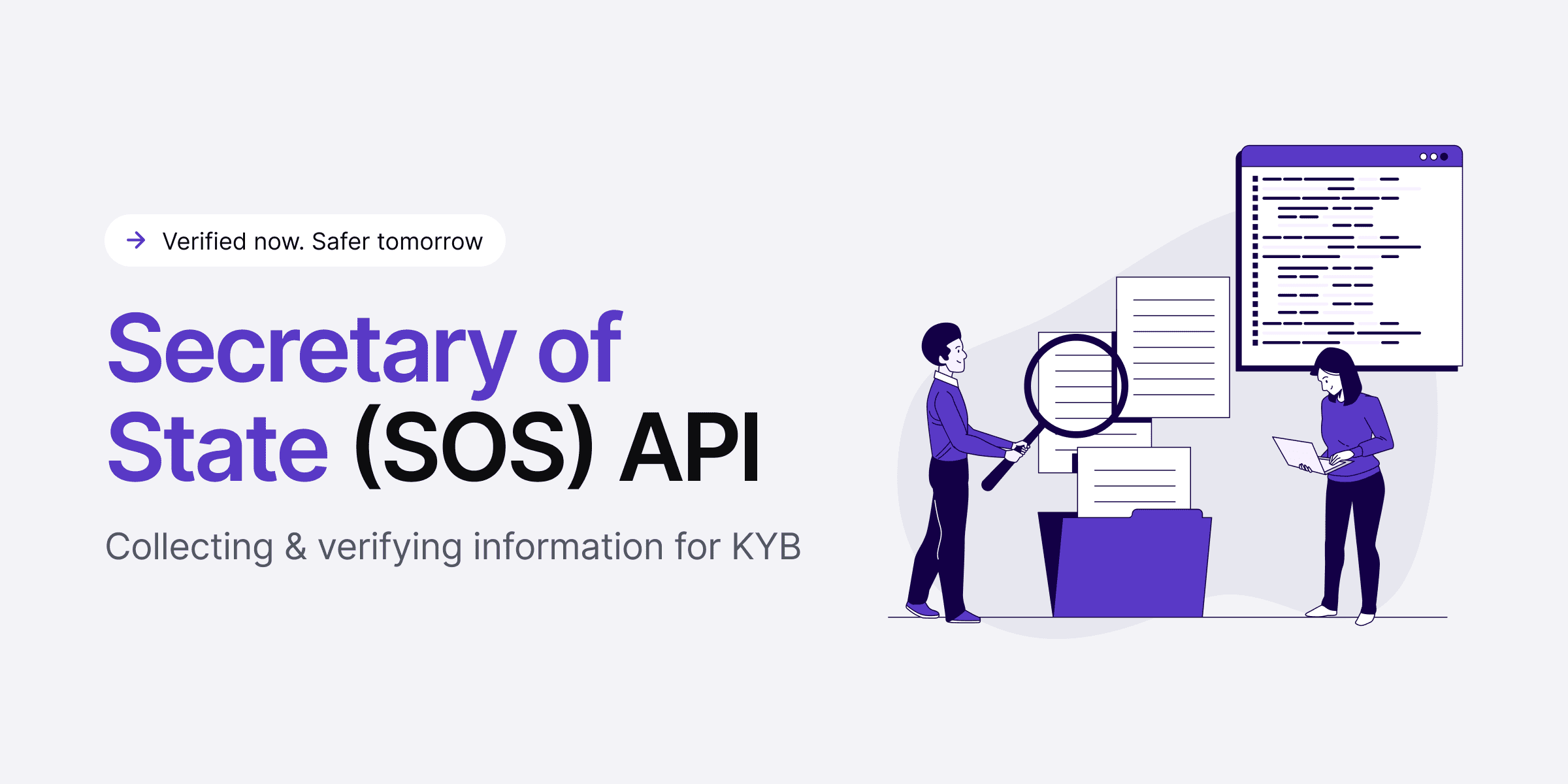
The Secretary of State (SOS) is known to be the senior government official in the majority of US states, serving as the main administrative officer who manages key state records. Those records hold important information about registered businesses that can be looked up in state portals. For Know Your Business (KYB) compliance, such SOS databases are vital for assessing risks linked to third parties and potential partners, which all boil down to a proper corporate client onboarding process.
If you work in a high-risk environment, regulations and strict policies are part of your daily routine, and without automating some compliance-related tasks, they can cause a lot of headaches, which we don’t want. From iDenfy’s perspective, to solve this issue, we recommend using a Secretary of State (SOS) API. It automates access to SOS filings and other key data about a business, helping you determine if a company is legitimate and operating legally all at once, without requiring you to search different state portals manually.
Continue to read to find out more.
What is a Secretary of State (SOS)?
The Secretary of State (SOS) is a government agency that is an official body responsible for 47 of the 50 US states. Pennsylvania, Massachusetts, and Virginia use the title “Secretary of the Commonwealth” instead. Ultimately, the SOS department manages the state’s business entities, including corporations, LLCs, and other business structures. When a US-based company operates in a certain state, it is required to register with the Secretary of State.
So, the Secretary of State’s office:
- Handles business registrations within its jurisdiction, which is essential for legally operating in a state.
- Oversees elections, maintains public records, and manages other administrative functions that can differ in each state, depending on relevant duties.
For example, Articles of Incorporation (also called a Certificate of Incorporation in some states) are legal documents consisting of details like the company’s name, address, entity type, and ownership structure that a business files with the Secretary of State to legally form and operate as a corporation. So, for Know Your Business (KYB) compliance, an SOS database in the US is a vital data piece for verifying standard company information like its legal name, registration status, formation date, and business type.
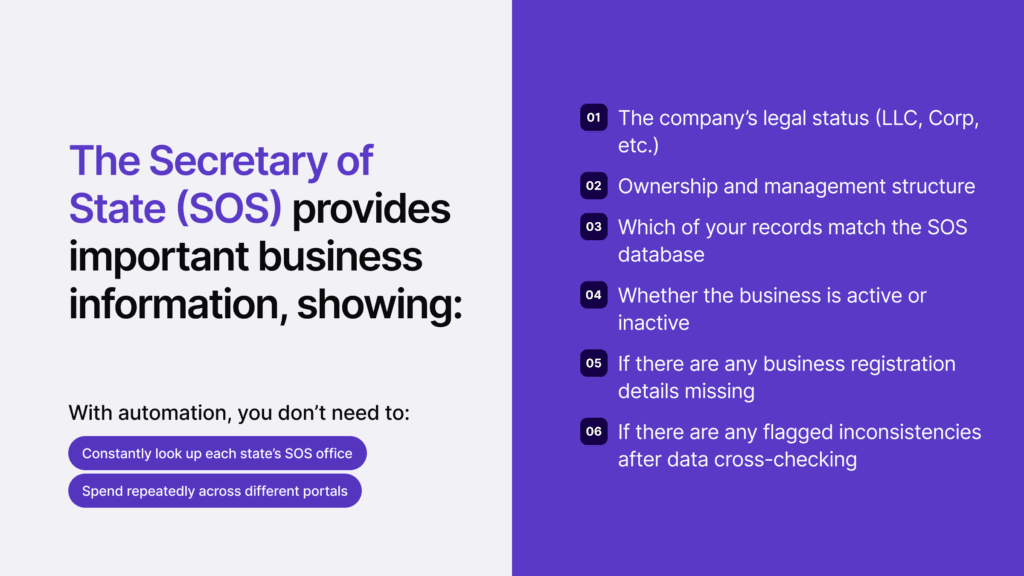
The SOS department manages the state’s business entities, including corporations, professional corporations, LLCs, and others. The Secretary of State’s office also oversees business registrations within its jurisdiction, which is essential for legally operating in a state. Many states provide online portals for SOS business searches, allowing you to look up information by name, registered agent, and other factors linked to that business to confirm that the business is real and legally registered within all its operating states.
Automate your identity verification
See how iDenfy helps 1,000+ companies verify customers in seconds with AI-powered KYC.
Explore iDenfyInformation on a Company that Articles/Certificate of Incorporation Includes
During KYB onboarding, you need to check the articles of incorporation or other formation info (depending on the state) because it helps you verify:
-> Legal entity name
-> Type (for example, corporation)
-> State of incorporation and formation
-> Registered agent and office
-> Stock structure (if disclosed)
-> Purpose of the business
-> Other provisions that are linked to the entity’s structure
These formation documents show the original constitutional status of a company, showing that it exists if the documents are filed with the SOS in the US.
Related: How to Check If a Company is Legally Registered
What Does the Secretary of State Do?
The Secretary of State is responsible for record-keeping in most states.
This includes documents like:
- Laws passed by the legislature
- The state constitution
- Executive orders
- Rules from state agencies
Many states also deal with maintaining records of land transactions and ownership. Additionally, the Secretary of State also serves as the state’s chief elections officer. Their responsibilities include managing electronic filing systems and providing online access to lobbyist financial information and campaign data.
Which Companies are Required to Register with the State?
Businesses need to register in a state even if their office headquarters are in another jurisdiction.
This rule applies to companies that meet the following criteria:
- The company conducts frequent in-person business meetings in the state
- The company has a physical presence, such as an office, in the state
- Any of the company’s employees works in the state
- A major part of the company’s revenue is collected from the state
What Data Should Be Included in a Secretary of State (SOS) Filing?
It should include standard details like the business address, name, ownership structure information, and registered agent information.
Other information comes with mandatory documentation that needs to be filed with the state, including the company’s articles of incorporation, articles of organization, certificate of limited partnership, limited partnership agreement, LLC operating agreement, annual reports, statements of information, bylaws or resolutions, among others (depending on the entity type and its state).
How Does a Secretary of State API Work?
A Secretary of State API (Application Programming Interface) is a business search tool that streamlines the connection to SOS filings, pulling and extracting information automatically without having to manually visit multiple state portals when researching another business, often as part of the KYB onboarding process.
An SOS API enables you to:
- Enter and look up known business details.
- Select the specific data you wish to receive and verify.
- Conduct a proper search across all Secretary of State portals (depending on the API provider; however, solutions like iDenfy support all US states).
- Access data, including the business’s registration location, active/inactive status, or any missing key registration details pulled from SOS filings.
- Compare the received data with your initial onboarding information and highlight any discrepancies or AML red flags.
- Download complete SOS reports containing company information in PDF format.
For an SOS API to be effective, you need to choose a reliable third-party service provider that specializes in high-quality data and KYB compliance, preferably in the US or other global markets and for various use cases (based on high-risk, regulated industry requirements). For example, some APIs don’t provide access to all US SOS portals or don’t offer special features, such as SOS reports. At iDenfy, we offer all these services, including other KYB solutions for better risk management, not only at early B2B relationship stages, but also for ongoing due diligence.
An SOS API vs a KYB API
An SOS API is designed for the US market and only for those entities that are required to file with the Secretary of State. In the meantime, KYB APIs cover a broader range of automations and have built-in access to various registries, not just those for US entities. In other words, a KYB API uses SOS data as one part of a bigger business verification system, including options to automate built-in KYC checks for directors or UBOs and create custom workflows that also screen both the company and its related individuals against sanctions.
-> If that’s what you’re looking for, a global KYB API service provider is a better fit, but if you’re only onboarding on a regional basis, an SOS API can be more straightforward and less costly.
Related: How to Implement a KYC API [3 Steps to Get Started]
How Can I Access a Secretary of State API for Free?
The short answer is simple – you can’t, because there isn’t a single API solution that covers all US states. However, some have pretty decent API tools; for example, California offers its own SOS API portal, explaining the steps for developers. In contrast, other states like Louisiana have special commercial offers for an API subscription, which will cost you at least $500 per year. For occasional KYB checks, state websites might be enough, but if you work with global markets and large applicant volumes, you’ll need a different approach.
What are Some Benefits of a Secretary of State API?
The biggest benefits of using a Secretary of State API for businesses include factors like:
- Saving time. Using a Secretary of State API allows you to skip multiple manual searches because it collects information automatically when looking up certain keywords, like the company’s name, particularly since companies can operate in one state and be registered in another.
- Saving costs. Some SOS portals are gated and require creating multiple accounts for analysts who need to access business information. Others require paying fees and navigating through different interfaces and systems for each search. In contrast, an API solution bypasses these limitations, giving access to all databases without extra costs or hassle for looking up basic company information that has to be verified for KYB checks.

This type of Secretary of State business search software is perfect for organizations that need to check company details from official government databases, in this case, Secretary of State offices across the US, to find information like the entity’s registration status, legal structure, and formation data, while assessing risks for due diligence background checks. It also helps with ongoing monitoring, for example, detecting status changes in the client’s risk profile, such as whether the entity has been dissolved.
Why is a Secretary of State API Important for Business Verification?
An SOS API solution often goes beyond extracting basic business information from SOS filings. When implemented correctly as part of KYB software, it helps automate business verification, onboard legitimate partners and clients, as well as continuously monitor risks that can emerge due to changes in client statuses (ownership changes, status changes, etc.), new sanctions, adverse media findings, and so on.
Ultimately, SOS APIs help improve business verification, making them a vital tool for maintaining KYB compliance and efficiently verifying key company data, such as:
- Confirming the entity’s legitimacy via official, valid records to see if they match the information the company provided during onboarding, and if it’s legally registered in the state to do business in.
- Validating EIN or TIN (Business Tax ID data) and checking if the business is registered with the IRS, along with other details, such as whether the business is in good standing, to further confirm its identity and tax compliance.
- Assessing business documents, such as Articles of Incorporation, and verifying legal status, as well as asking for other documents, based on your particular use case, to better understand the risks linked to each business based on your internal risk assessment requirements.
- Verifying related individuals, this includes directors, management, shareholders, UBOs, etc., to check if their data matches, preferably through proper KYC verification and extra criminal background checks for high-risk individuals to see if they don’t have a history of crime.
- Checking active legal cases, for example, liens and litigation, or bankruptcy filings, which can indicate legal and financial risks linked to the business.
- Conducting watchlist screening using PEPs and sanctions lists, such as OFAC sanctions and other AML databases, which can show findings that could potentially expose your business to non-compliance and unwanted regulatory exposure.
- Maintaining ongoing compliance via monitoring procedures that help track status changes and new AML findings on the same KYB dashboard related to the entity (for example, bankruptcy filings or loss of good standing) or its linked individuals (for instance, PEP status changes or suspicious transactions).
Some solutions, such as iDenfy’s KYB platform, have all these features and focus not only on SOS filing searches but also on the whole business verification workflow, which consists of KYC checks on related individuals and AML screening and monitoring measures.
Such an approach to using a single dashboard helps businesses speed up KYB onboarding and access hundreds of corporate registries to confirm company data. This also helps stay compliant with ongoing due diligence through real-time alerts for the mentioned status updates, such as findings in sanctions or adverse media.
Related: 6 Steps to Conduct a KYB Verification Check
How Does iDenfy’s Secretary of State (SOS) API Improve KYB Onboarding?
iDenfy’s Secretary of State API supports all 50 US states, pulling official, registered business data from each state’s registry. In simple terms, if a company is listed with the Secretary of State, our solution will instantly retrieve this information and return relevant results.
iDenfy’s KYB coverage for an SOS filing includes details like:
- Business name and status (active/inactive)
- Entity type (LLC, Corporation, etc.)
- Registration and filing dates
- Business address
- Registered agent details
- Governing persons (where applicable)
With an API solution like this, you can improve your due diligence processes while streamlining the most important part of it, which is collecting reliable data across multiple sources. Implementing iDenfy’s SOS search solution allows you to connect directly to any Secretary of State and make faster decisions without having to dig through scattered documents or hard-to-find information.
This helps you better assess corporate entities and:
- Confirm which of your records match the SOS database without having to spend time and costs across different state portals repeatedly.
- Collect required documents quickly using custom questionnaires and pre-made industry templates for a faster KYB workflow setup.
- Download SOS filing reports in PDF format, as well as add extra verification checks, such as PEPs & sanctions, adverse media screening, Proof of Address (PoA) checks, and so on.
So, iDenfy’s API completely removes the need to search for SOS filings manually, helping you access multiple state portals at once and automatically detect risks like inactive SOS filings, missing status or registration data, as well as other red flags, such as bankruptcies, without the hassle or pay-per-search fees that come with traditional state portal lookups.
Extra checks can be added and customized through iDenfy’s KYB dashboard, which is a user-friendly software designed for analysts to simplify their daily tasks and onboard partners or clients more efficiently. For bigger, strictly regulated companies, this approach is essential to scale and optimize their onboarding process.
To see our SOS API in action, book a free demo and learn how you can improve your KYB verification with direct access to state-level data.


 Download PDF