Editor’s Note & Methodology Disclosure: As a provider in this space, we wanted to compile public data to show how the landscape looks. Ratings were carefully aggregated from verified review platforms including G2, Capterra, TrustRadius, and Gartner Peer Insights as of June 2026. We did not test each platform, our goal is to provide a clear, practical overview of the identity verification software available today, explain their key features in plain language, and help decision-makers better understand how these solutions compare. Because iDenfy is the publisher of this guide, and iDenfy CEO & Co-Founder, Domantas Ciulde, compiled this overview, we have presented this data transparently so you can evaluate each platform based on your unique compliance and integration needs.
This guide is for: compliance officers, founders, and C-level executives interested in the differences in age verification software across multiple vendors and different vendors capabilities.
This guide is not for: buying an actual service right off the page. If you need actual software right now, choose age verification software.
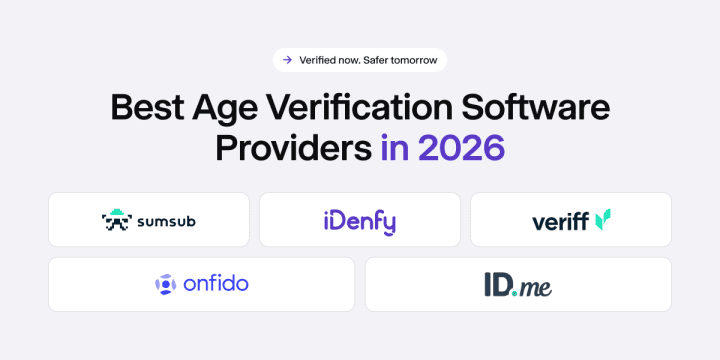
Current Top 5 Age Verification Providers (2026)
We pulled ratings from G2, Capterra, TrustRadius, and Gartner Peer Insights for the platforms that actually come up in real procurement conversations. The average score for each provider is based on user reviews available on those platforms as of July 2026 – a dash means there were no published reviews on that particular site at the time we checked.
The market for age verification solutions has expanded fast, mostly in response to tightening regulations across the UK, EU, and increasingly, individual US states. New laws like the Online Safety Act, the Digital Services Act, and a growing patchwork of state-level requirements have pushed this from a nice-to-have into something auditors actually ask about.
| # | Provider | G2 | Capterra | TrustRadius | Gartner | Average |
|---|---|---|---|---|---|---|
| 1 | iDenfy | 4.9 | 4.7 | 5.0 | 4.8 | 4.85 |
| 2 | Sumsub | 4.6 | 4.7 | — | — | 4.60 |
| 3 | ID.me | 4.7 | 4.2 | 4.9 | 4.0 | 4.45 |
| 4 | Veriff | 4.3 | 4.0 | — | — | 4.15 |
| 5 | Onfido (Entrust) | 4.4 | 4.6 | 3.0 | 4.3 | 4.08 |
Last updated: July 2026
Notable Mentions
| # | Provider | What They’re Known For |
|---|---|---|
| 6 | Yoti | Privacy-first age verification using facial age estimation and digital ID wallets. Widely used in UK retail and online alcohol/tobacco sales. Strong compliance posture for the Online Safety Act. |
| 7 | AgeID | Specialist age verification platform backed by MindGeek, focused on adult content compliance. Provides single sign-on reusable age tokens across member sites. |
| 8 | Veridas | Biometric-first identity and age verification with voice and face recognition. Strong presence in telco and banking. Certified by NIST and iBeta for liveness detection accuracy. |
The Main Features to Look for When Assessing Age Verification Vendors
Almost every regulated business is better off integrating an established age verification solution from a dedicated provider than attempting to build equivalent infrastructure from scratch. There are multiple factors when building the right age verification system procedure. However, customers can still be differentiated by their solution preferences for the most crucial aspects of a successful age verification procedure: age gating vs. actual verification, fraud prevention, and compliance with different age regulations within unique jurisdictions.
- Age verification methods. A vendor has to specifically highlight how the age verification is being conducted. Is it part of the KYC process and performed with a regular ID verification method, or is it conducted solely with age estimation?
- Integration choices. To have the best user experience, there should be an option to choose the most suitable integration for each customer. For some, an iFrame is a better choice due to a higher conversion rate. For others, the need to use a separate Zapier integration, WooCommerce, or perform verifications on Shopify is a key factor when choosing a new vendor (specifically if they are switching from another provider).
- Accuracy of age verification. To have a successful onboarding procedure, one requirement is accurate identity verification, which then leads to the correct age verification result. To maximize efficiency of this process, key factors are being considered:
Manual review vs. automated verifications. Both have their unique advantages and cost factors to consider, which can be further explored in our identity verification savings guide. - Pricing of the actual age verification service. Since age verification is often part of the ID verification costs, it is important to look at different KYC pricing models to understand and calculate the total price per onboarded customer.
- Coverage of specific age verification requirements by laws. Based on age verification requirements by industry, a vendor must demonstrate that it understands both the industry and the country in which it operates. For example, the California Age-Appropriate Design Code Act (AADC), also known as the California Law, applies to businesses accessible to children.
- Compatibility with other KYC tools. If a vendor can offer an AML screening service with other fraud prevention software, it leads to a fully covered compliance procedure within a company. As well as opt into additional utility bill verification services, KYC Risk Assessment, or Bank Verification.
Related: Different age verification rules in age verification systems
Related: How to perform age estimation
Best Age Verification Software Provider Comparison Based on Key Features
Based on the previous criteria, we have included the comparison of these 5 top providers.
| Feature | iDenfy | Sumsub | Veriff | Onfido | ID.me |
|---|---|---|---|---|---|
| Age verification via ID checks | ✓ (200+ countries and territories) | ✓ | ✓ | ✓ (195+ countries) | ✓ (US & Canada only) |
| Age estimation (Age assurance) | ✓ | ✓ | ✓ | ✗ | ✗ |
| iFrame integration | ✓ | ✓ | ✓ | ✓ | ✓ |
| No-Code / 3rd-Party Plugins | ✓ (Shopify, WooCommerce, Zapier, WordPress, Bubble) | ✓ (Zapier, WordPress, Salesforce) | ✓ (Salesforce, Zapier) | ✓ (Salesforce, Zapier) | ✓ (Shopify) |
| Accuracy of ID verification (Published) | 99.9% | 99.8% | 98% (automated) | Varies by country | Not published |
| Document-only verification option | ✓ | ✓ | ✓ | ✓ | ✓ |
| Manual Review Verification | ✓ (24/7 in-house) | ✗ | ✗ | ✓ | ✓ |
| Pay per verification KYC pricing model | ✓ | ✓ | ✓ | ✓ | ✗ |
| Pay per approved KYC pricing model | ✓ | ✗ | ✗ | ✗ | ✗ |
| Multi-country age verification support | ✓ | ✓ | ✓ | ✓ | ✗ |
| ISO 27001 Certified | ✓ | ✓ | ✓ | ✓ | ✓ |
| SOC 2 Certified | ✓ | ✓ | ✓ | ✓ | ✓ |
| Cyber / E&O Insurance | ✓ (Lloyd’s of London) | ✓ | ✓ | ✓ | ✓ |
| GDPR Compliant | ✓ | ✓ | ✓ | ✓ | ✓ |
| AML Screening option | Pay per approved | Pay per completed ($1.35/check) | Pay per completed ($1.39/check) | Pay per each check | ✗ |
iDenfy
4.85 Average Score · (4.7 Capterra | 4.9 G2 | 5.0 TrustRadius | 4.8 Gartner)
iDenfy website: idenfy
iDenfy is one of the most feature-rich platforms on this list. It combines AI-powered document scanning, biometric face matching, database verification, and liveness detection via selfie biometrics into a single age verification workflow (if needed, depending on your internal risk appetite), covering 200+ countries and territories with a published 99% verification success rate. Another distinct feature is that iDenfy has no-code integrations and plugins specifically designed for age verification. E-commerce merchants working with WooCommerce, Zapier, WordPress, etc., can benefit from this option and scale in the future if they need extra, more complex KYB/AML tools, which iDenfy also offers.
What Customers Say About iDenfy
The 4.9 on G2 stands out — compliance tools don’t usually score that high because the buyers tend to be people who’ve been burned before. Across platforms, the consistent themes are: setup is genuinely easy (not just easy-for-a-compliance-tool), support responds quickly (this comes up more than anything else), and the pay-per-approved pricing produces noticeably lower costs than what reviewers paid under per-attempt models elsewhere.
The setup experience and documentation are described as well-structured and clear enough that teams without compliance backgrounds can get through the initial integration without a lot of back-and-forth. Support gets called out repeatedly — not just as “good,” but fast and problem-solving in a way reviewers contrast with other vendors they’ve used before. On the functionality side, mobile SDK customization comes from teams that needed to fit iDenfy into an existing app UX without rebuilding the whole flow. Developers across different backend stacks mention the API flexibility as straightforward to work with. Shopify retailers and blockchain-based businesses specifically mention that the integration worked cleanly. Regulated businesses in fintech and iGaming point to the AML screening and audit trail as deciding factors — having it all in one platform rather than sourcing a separate AML vendor was part of their decision. The pay-per-approved model draws consistent praise: multiple reviewers calculated what they saved after switching from per-attempt billing and describe it as significant.
✅ Pros
- 99.9% verification success rate across 200+ countries, published, not implied
- 24/7 human review behind every AI-flagged session
- Pay-per-approved pricing (drop-offs and failed attempts don’t add to the bill)
- No-code Magic Link builder plus native plugins for Shopify, WooCommerce, WordPress, Bubble, Zapier, and Magento
- Fast responses and a good support team compared to other, bigger providers like Sumsub
- Built-in white label and age verification customization flow options
- ISO 27001, SOC 2, and ETSI 119 461-1 certified; cyber insurance underwritten by Lloyd’s of London
- Age Estimation with Age Assurance built in.
❌ Cons
- The Age Estimation has a 2.5-year accuracy threshold, which is higher than some competitors’ numbers.
Sumsub
4.60 Average Score · (4.7 Capterra | 4.6 G2 | No reviews on TrustRadius)
Sumsub website: www.sumsub.com
Sumsub handles more than 50,000 verifications a day across 220+ countries — a breadth that few platforms match. The main reason it comes up in evaluations is coverage, combined with a workflow builder that lets product teams configure country- or risk-tier-specific flows without pulling in developers each time something changes. Integration documentation is solid, and processing speeds at high volume get good marks. Where reviewers push back is on pricing ($1.35 per completed check as of August 2026, including denied sessions) and support — enterprise clients generally describe responsive, dedicated help, but smaller accounts get more mixed results. There’s no public accuracy disclosure and no advertised 24/7 human review, so visibility into what happens when the automated system hits a difficult document type or region is limited.
✅ Pros
- 220+ countries, 50,000+ daily verifications (one of the broadest coverage footprints available)
- Workflow builder for country- and risk-tier-specific flows without developer involvement for each change
- Solid API and SDK documentation
- AML screening (sanctions, PEPs, adverse media) available
❌ Cons
- Is considered to be relatively on the higher side pricing-wise
- No publicly advertised 24/7 human review fallback
- Support quality varies significantly by account size, depending on the contract
Veriff
4.15 Average Score · (4.0 Capterra | 4.3 G2 | No reviews on TrustRadius)
Veriff website: www.veriff.com
Veriff covers 12,500+ identity documents, including non-Latin scripts — Arabic, Cyrillic, Chinese, Korean, and Japanese. That document library depth is the main reason it shows up in evaluations where international user diversity is the primary concern. The platform runs on AI automation with a stated 98% check automation rate and passive liveness detection. There’s no publicly available manual review fallback. At $1.39 per completed check — including denied checks — it’s the highest published per-unit rate among the providers listed here. Multiple reviewers describe the pricing as high relative to what newer platforms offer. Support is a recurring complaint from smaller accounts, and some reviews call out the UI as less polished than that of more recent entrants.
What Customers Say About Veriff
Reviews for Veriff land in a fairly consistent place: strong on the technical side, with recurring complaints about support and cost. Developers working on the integration describe the SDK and API documentation as solid and the initial setup as quick to get through. The 12,500+ document library — particularly non-Latin script support — comes up repeatedly from businesses serving users across regions where other platforms hit gaps. Verification speed is the other thing that gets called out positively, especially from products where the age gate decision affects a real-time user flow.
The friction shows up on two fronts. Reaching support is a common complaint, especially for accounts without dedicated management — multiple reviewers describe slow response times and difficulty escalating. Pricing is the other one: $1.39 per completed check, including denied sessions, is described in several G2 and Capterra reviews as high relative to what newer platforms charge for similar functionality. Some reviewers also flag the UI as feeling less refined than more recent entrants, though that’s more of a secondary concern compared to the support and pricing issues.
✅ Pros
- 12,500+ document types, including non-Latin scripts
- 98% automation rate; fast average decision times
- Developer-friendly SDK and API with solid documentation
- AML screening and KYB verification available
❌ Cons
- $1.39 per completed check, including denials
- No publicly available 24/7 human review fallback
- Support response times are a consistent complaint from non-enterprise accounts
Onfido (Entrust)
4.08 Average Score · (4.6 Capterra | 4.4 G2 | 3.0 TrustRadius | 4.3 Gartner)
Onfido website: www.onfido.com
Onfido, now under Entrust after the April 2024 acquisition, combines document verification, facial recognition, and biometrics in a platform that’s well-regarded for compliance alignment. The Workflow Studio (a no-code flow builder for KYC and age verification) is the feature compliance teams cite most often. It lets you adjust verification logic by market without engineering involvement each time a regulation changes, which matters at scale. Accuracy figures are published per region on the website, which is more transparent than most competitors provide, though it also makes side-by-side comparison harder. Pricing is quote-based and per-attempt: failed and abandoned sessions both add to the bill. The TrustRadius score of 3.0 sits notably below the others and warrants a closer read of recent reviews before you commit.
What Customers Say About Entrust (Onfido)
Onfido’s review picture is generally positive, with the clearest signal coming from compliance-led teams. The Workflow Studio keeps coming up — reviewers in regulated industries specifically cite it as the reason they can adjust verification logic per market without waiting on engineering each time a regulation changes. Interface design and integration quality get good marks; the overall experience is described as polished compared to older platforms in the category. Speed is the other consistent positive: fast processing is what real-time age gate products actually need.
Two things pull the scores down. One is false rejections — documents from certain regions triggering incorrect denials come up enough in reviews that it reads as a pattern rather than an edge case. The other is pricing: quote-based, pay-per-attempt, with no published tiers. Reviewers ask for more transparency and a self-serve option more than once. The 3.0 on TrustRadius is worth looking at separately before deciding — it’s considerably below the scores on other platforms, and the recent reviews there tell a slightly different story.
✅ Pros
- Workflow Studio no-code flow builder (where you can adjust verification logic per market without engineering involvement)
- Hybrid verification (automated + human supervision); both passive and 3D active liveness detection
- Accuracy figures published per region
- AML screening available; government database cross-matching in select countries
❌ Cons
- Per-attempt pricing (failed and abandoned sessions are both charged)
- No published pricing tiers; quote-based only
- False rejections in certain regions are cited as a recurring pattern in reviews
- No Age Assurance service
ID.me
4.45 Average Score · (4.2 Capterra | 4.7 G2 | 4.9 TrustRadius | 4.0 Gartner)
ID.me website: www.id.me
ID.me‘s track record comes from powering identity verification for US government agencies — the IRS, the VA, state employment portals — and the FedRAMP authorization reflects that history. The reusable digital identity wallet is the feature that sets it apart: verified once, users can authenticate across any ID.me-connected service without resubmitting documents. That’s genuinely useful for businesses with returning customers who hit multiple touchpoints. The hard limit is geography — US and Canada only, full stop. No amount of enterprise negotiation changes that. If any portion of your user base is outside those two markets, ID.me won’t work for them. The analytics dashboard also draws complaints; it covers the basics but lacks the depth that teams tracking drop-off rates and verification outcomes tend to want.
What Customers Say About ID.me
ID.me averages 4.45 across the platforms where reviews exist. The setup experience gets consistent praise — reviewers describe adjusting product groups, toggling verification gates, and targeting specific user segments (military, healthcare, teachers) as fast and requiring minimal configuration. Shopify integration in particular comes up from retail businesses as clean and quick to deploy. The reusable wallet is the feature people are most enthusiastic about: returning users don’t re-verify, and several reviewers describe this as meaningfully improving conversion on repeat purchases. Support gets positive mentions too — a few reviewers specifically note access to a dedicated contact who proactively surfaces new use cases.
Two structural issues come up consistently. The US and Canada coverage limit is the most common complaint by a clear margin — multiple reviewers say it was the constraint that prevented them from rolling out verification internationally. The analytics dashboard is the other recurring frustration: teams that want granular outcome data tend to find workarounds because the built-in reporting doesn’t go deep enough.
✅ Pros
- Reusable digital identity wallet (users verify once, and you can use the details to authenticate them across all connected services)
- Strong track record with US government agencies; FedRAMP authorized
- Hybrid age verification system (automated + human supervision)
- Shopify plugin available for retail use cases
❌ Cons
- US and Canada only — no international coverage at any price point
- The analytics dashboard lacks depth for teams tracking drop-off and outcomes
- Pricing not publicly disclosed
- No Age Assurance or Age Estimation
Final Age Verification Checklist Before You Go
Most age verification rollouts don’t fail because the technology doesn’t work. They do not work out because you can accidentally choose the wrong software or a verification method that doesn’t fit your industry and its compliance standards. Always keep in mind that multiple elements in the puzzle matter, like:
Integration Fit
- Check if the age verification software and the vendor’s integration method match what your team can actually deploy. For example, an API needing two sprint cycles is a different commitment than a no-code age verification plugin that can be live in one afternoon.
- Check whether white-label customization is included or priced separately before signing anything. Users convert more if they recognize a “native” age verification flow: the same branding, logos, etc.
Pricing Model
- The per-unit rate isn’t the real cost (failed age verification attempts from bad lighting, expired documents, or camera issues add up fast under per-attempt billing).
- Ask age verification software vendors to run a cost simulation at your expected volume with a realistic failure rate, not just at perfect-session conditions. Some solutions, like iDenfy, have an Age Verification ROI calculator.
Regulatory Method Coverage
- “Supports [country]” doesn’t confirm the verification method meets that country’s legal requirements. Those are different questions that you need to ask your in-house legal team and discuss with the vendor.
- Several regulators have already named which methods don’t qualify; ask age verification vendors directly whether their supported method in your key markets meets current law.
DISCLAIMER: This information is collected from public sources and vendor websites; it is not our final verdict or opinion. The information may be outdated in some cases. You should contact the vendor directly to get recent information. If any information is missing, please contact the website owner.


 Download PDF